
Large language models are wonderfully knowledgeable... up until the day their training data ran out. Ask one about your favorite framework's brand new release, last week's headline, or the version number of a library that shipped this morning, and you'll often get a confident answer that's just a little bit yesterday or even made up.
The fix is simple in concept: let the model peek at the web. The fix is harder in practice: somebody has to actually do the searching. The model can't reach the internet on its own, and most agentic tools don't ship with a built-in search just ready to go. They expect you to bring one.
That's where MindRouter comes in. We run a single, authenticated web-search endpoint that any of your tools — your terminal, your Python scripts, your Claude Code session, your ForgeCode agent, your Cowork sessions — can call with a single API key. We also provide a simple hosted MCP server that your agents will know how to use.
We like to call it BYOS: Bring Your Own Search. Configure it once, use it everywhere.
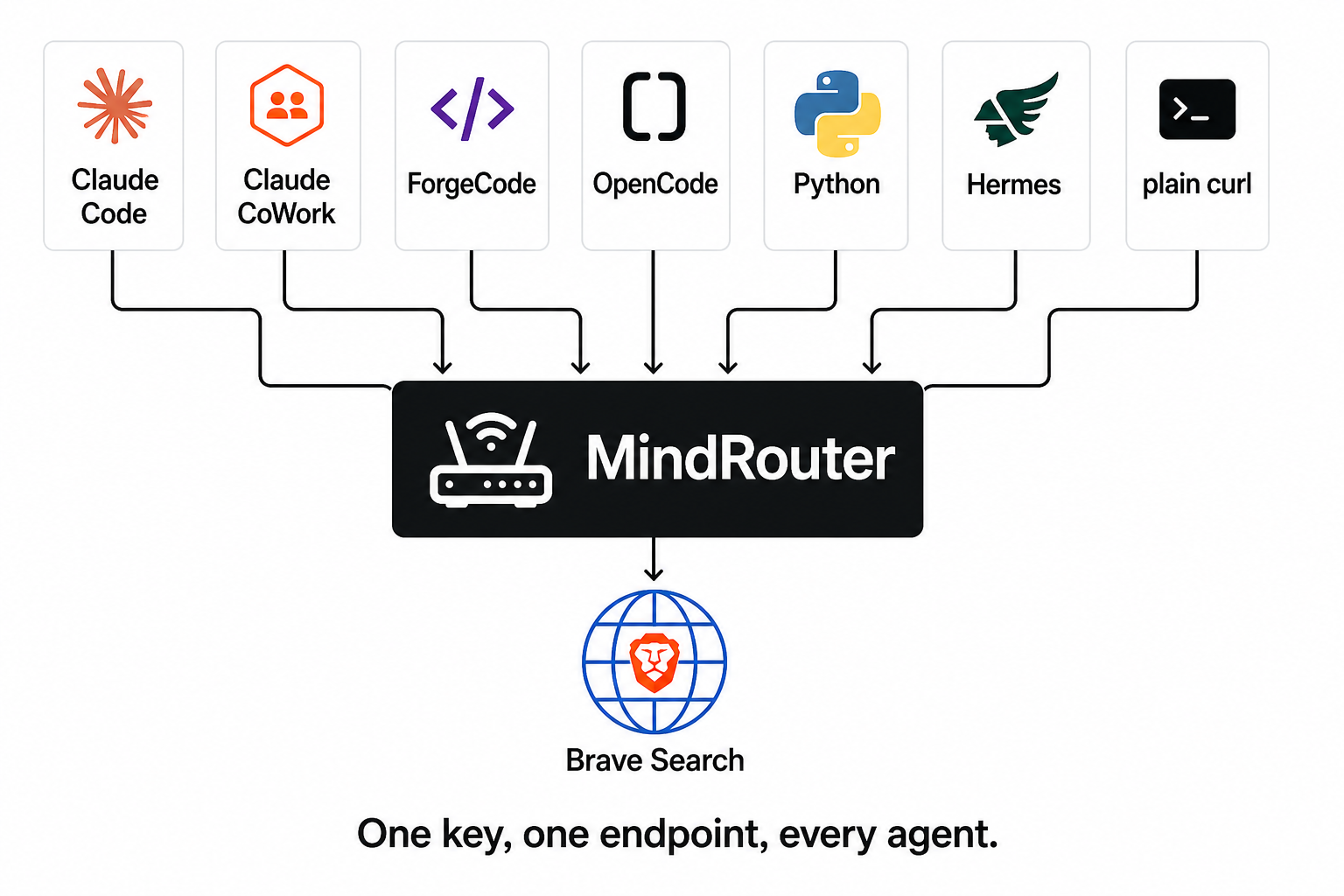
This post walks you through every way you can plug into it.
A few things you should know before you search
Before we dive into examples, here's the short, honest disclosure that every MindRouter user deserves up front:
1. Searches are powered by Brave. By default, MindRouter's search endpoint forwards your query to the Brave Search API. Brave is fast, high-quality, and privacy-respecting, but it is a third-party cloud service. The text of every search query you submit will leave your MindRouter instance and travel to Brave's servers for processing. If you wouldn't paste a query into google.com, don't paste it into MindRouter search either. (Self-hosted SearXNG is also supported as an alternative provider.)
2. Every search is metered. Each call to the search endpoint deducts a fixed number of tokens (default: 50 tokens) from the quota tied to your MindRouter API key. Every search costs the same flat amount in tokens, and it's tracked alongside your normal inference usage in the dashboard. Admins can tune that number, and they can even set it to zero. But the rule is the same: searches are linked to your API key.
3. Every search is logged. All MindRouter interactions are logged and archived on our servers, including web search queries. This is useful from a cybersecurity perspective and to help us improve your user experience.
4. You'll need an API key. Hop over to mindrouter.example.com/dashboard, generate a key (it'll start with mr2_), and stash it somewhere safe. Every method below uses the same key.
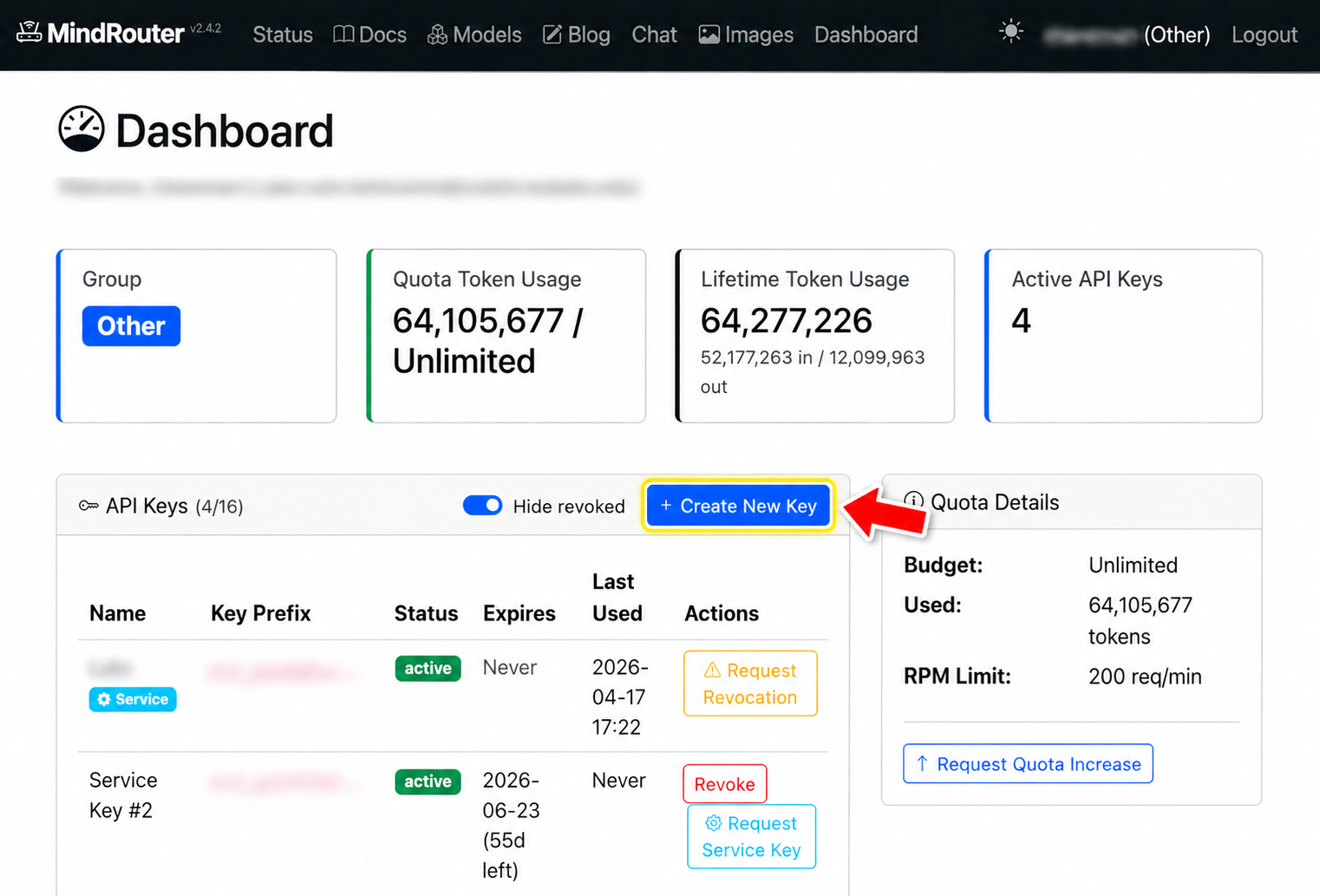
Done? Great. Let's search!
Method 1: The Chat Toggle
(zero code, one click)
If all you want is for MindRouter's built-in chat to ground its answers in fresh web results, you don't need to write a thing. Open the chat at mindrouter.example.com/chat, look at the input area, and tap the little magnifying-glass button on the left side. Gray means off; solid blue means on.
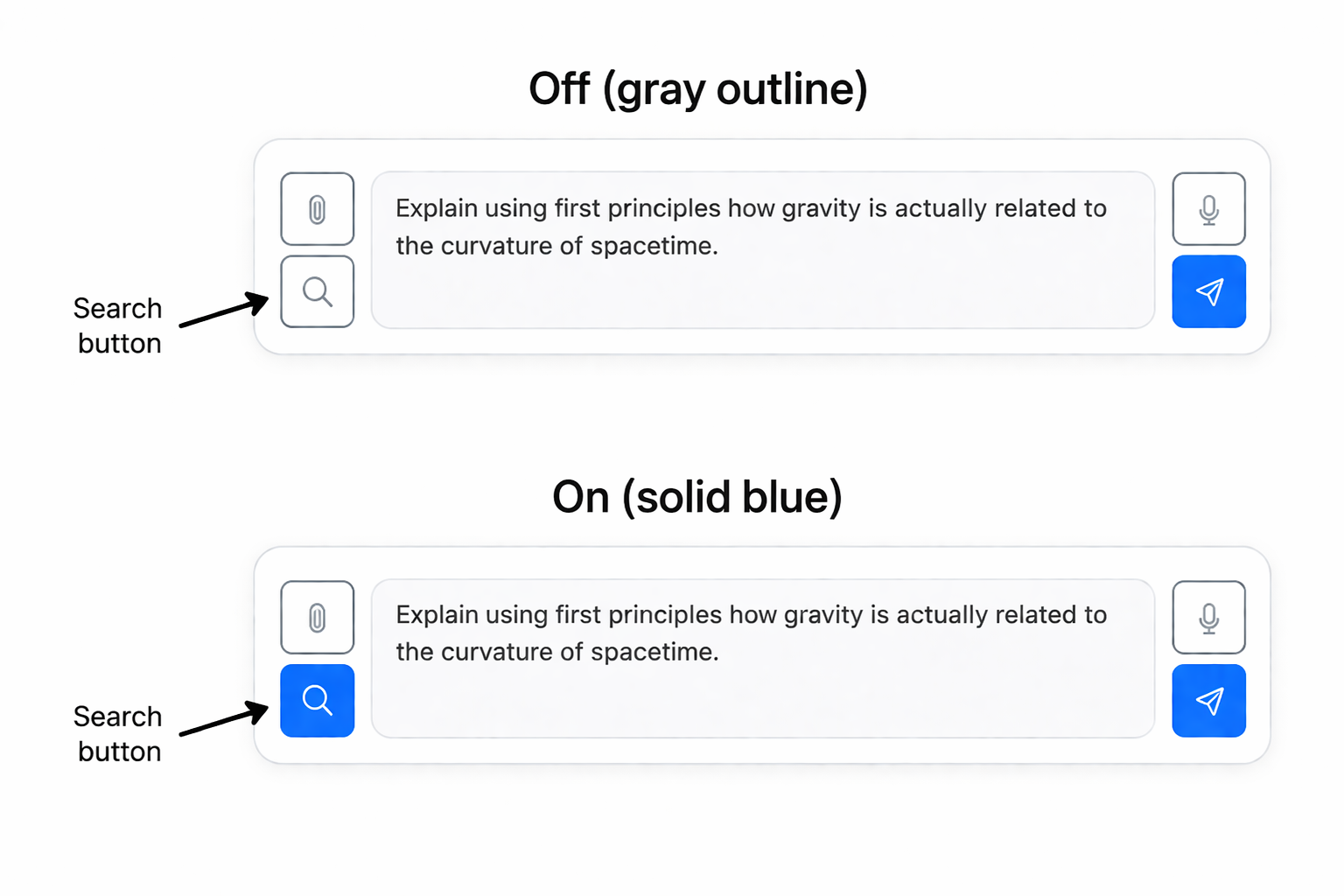
Type a question. Hit send. While the model is "thinking," you'll see a spinning globe and the message "Searching the web..." — that's MindRouter quietly searching the web, dropping the top results into the model's system prompt, and asking it to weave them into the answer. The reply streams back like normal, complete with cited URLs.
Cited response: A finished answer that includes a couple of source URLs, demonstrating that the model used the search results.
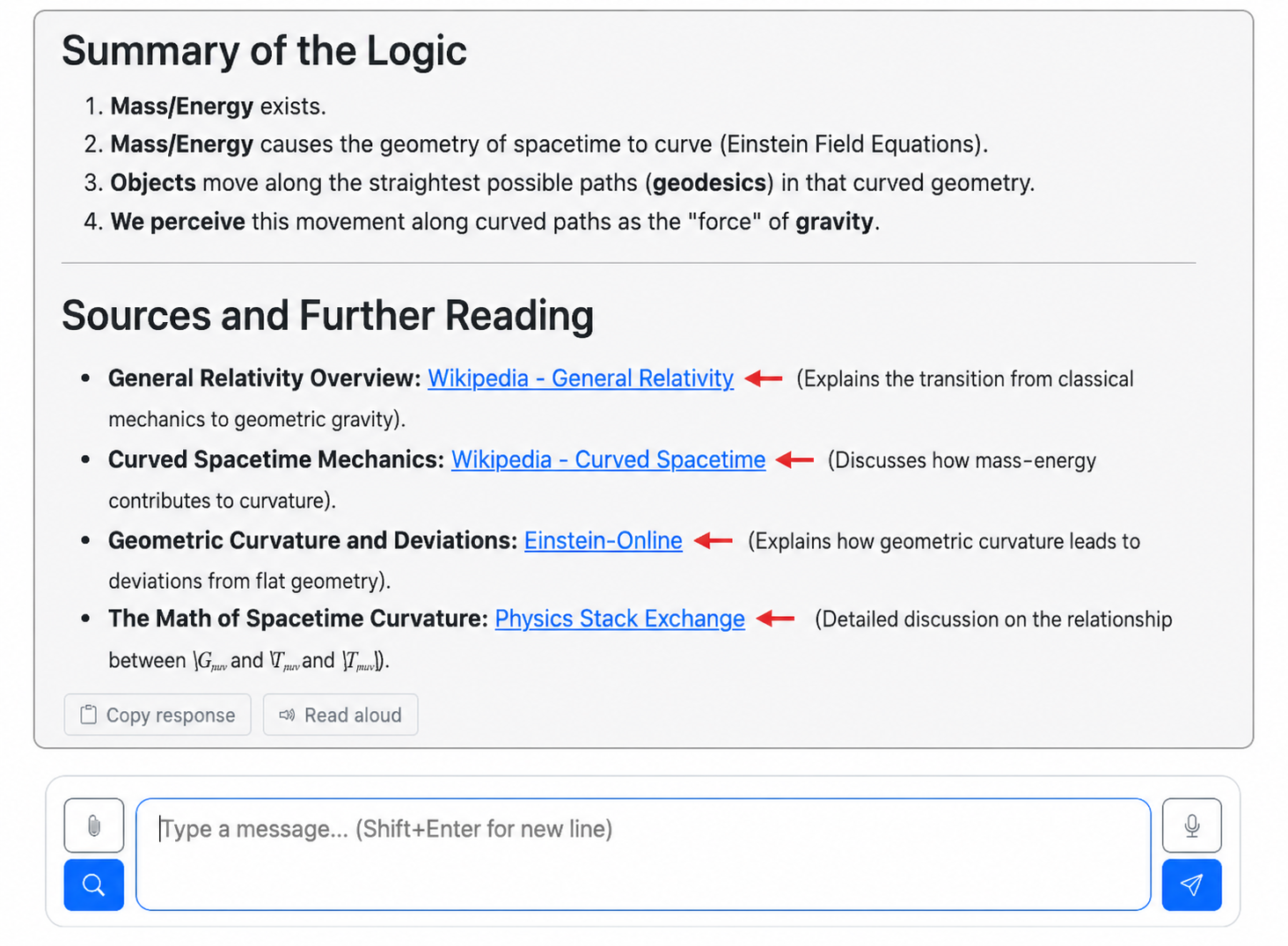
The toggle remembers your preference between sessions (it's saved in your browser's localStorage), so you can flip it on once and forget about it. If a search ever fails, the chat just proceeds without it. No error popups, no broken conversations.
This method is perfect if you're the end user and you just want better answers. The next three methods are for when you want to give that same superpower to your code and agents.
Method 2: The MCP Server
(when you want your agent to just decide to search)
Model Context Protocol (MCP) is an open standard for exposing tools to AI agents.
We now host an MCP server directly on MindRouter itself. No Python to install, no local process to manage: you register the MindRouter MCP server with your preferred agentic framework and your agents can use the tools (e.g. web-search) provided by the MCP Server.
The MindRouter MCP server uses SSE (Server-Sent Events) transport and calls the search provider directly on the server side, so there's no extra HTTPS hop.
Wiring in the MCP Server
You will need to register the MindRouter MCP server with your agentic tools. With Claude Code, you can do this with a simple command from the CLI:
claude mcp add mindrouter https://mindrouter.example.com/mcp/sse \
  --transport sse \
  -H "Authorization: Bearer mr2_your_key_here"
That's it! Now you can check that it is successfully registered and connected:
$ claude mcp list
mindrouter: https://mindrouter.example.com/mcp/sse (SSE) - ✓ Connected
Alternatively, you can manually register the MCP Server using a snippet of JSON:
{
  "mcpServers": {
    "mindrouter": {
      "type": "sse",
      "url": "https://mindrouter.example.com/mcp/sse",
      "headers": {
        "Authorization": "Bearer mr2_your_key_here"
      }
    }
  }
}
That's it. Run /mcp inside Claude Code to verify.
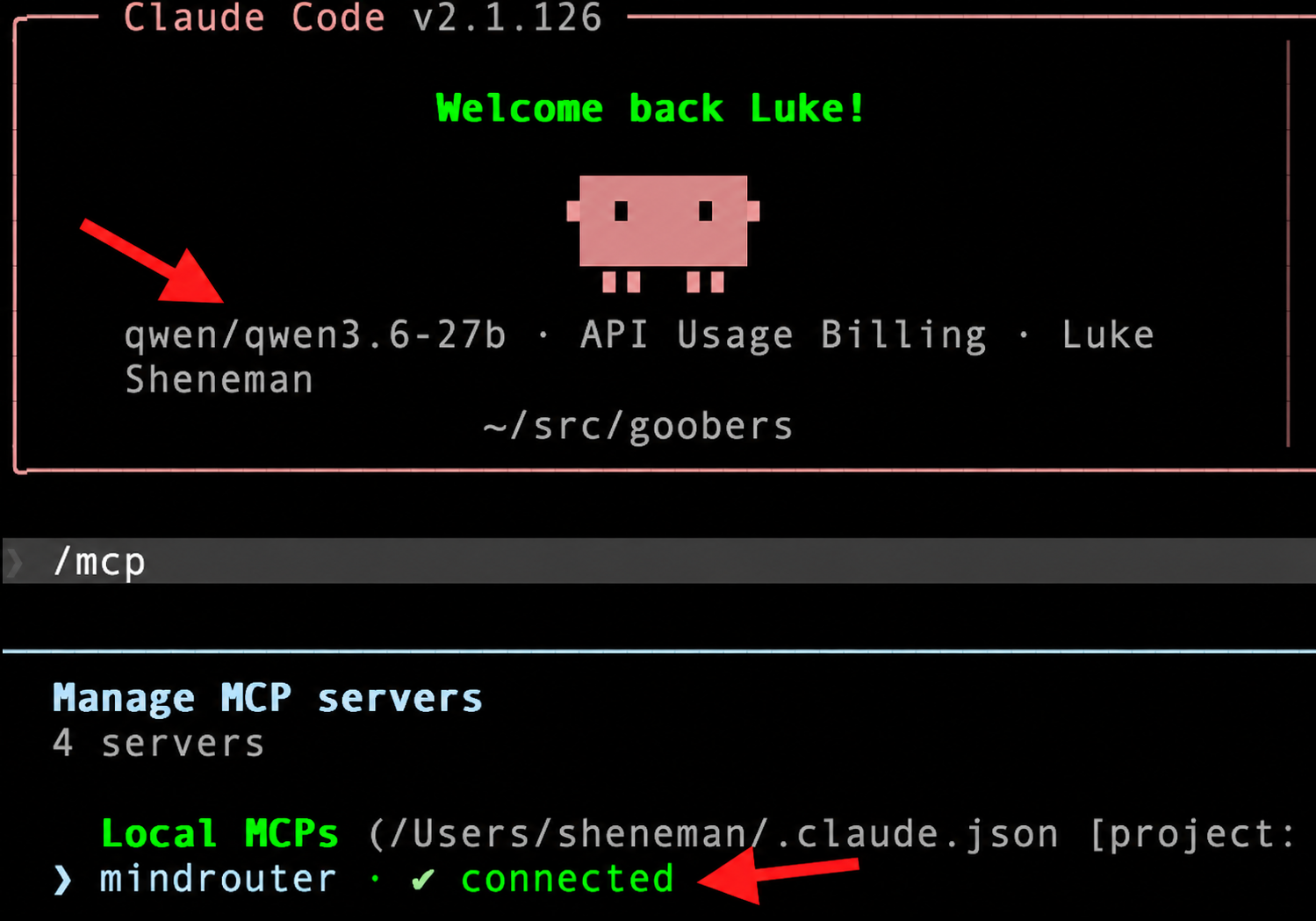
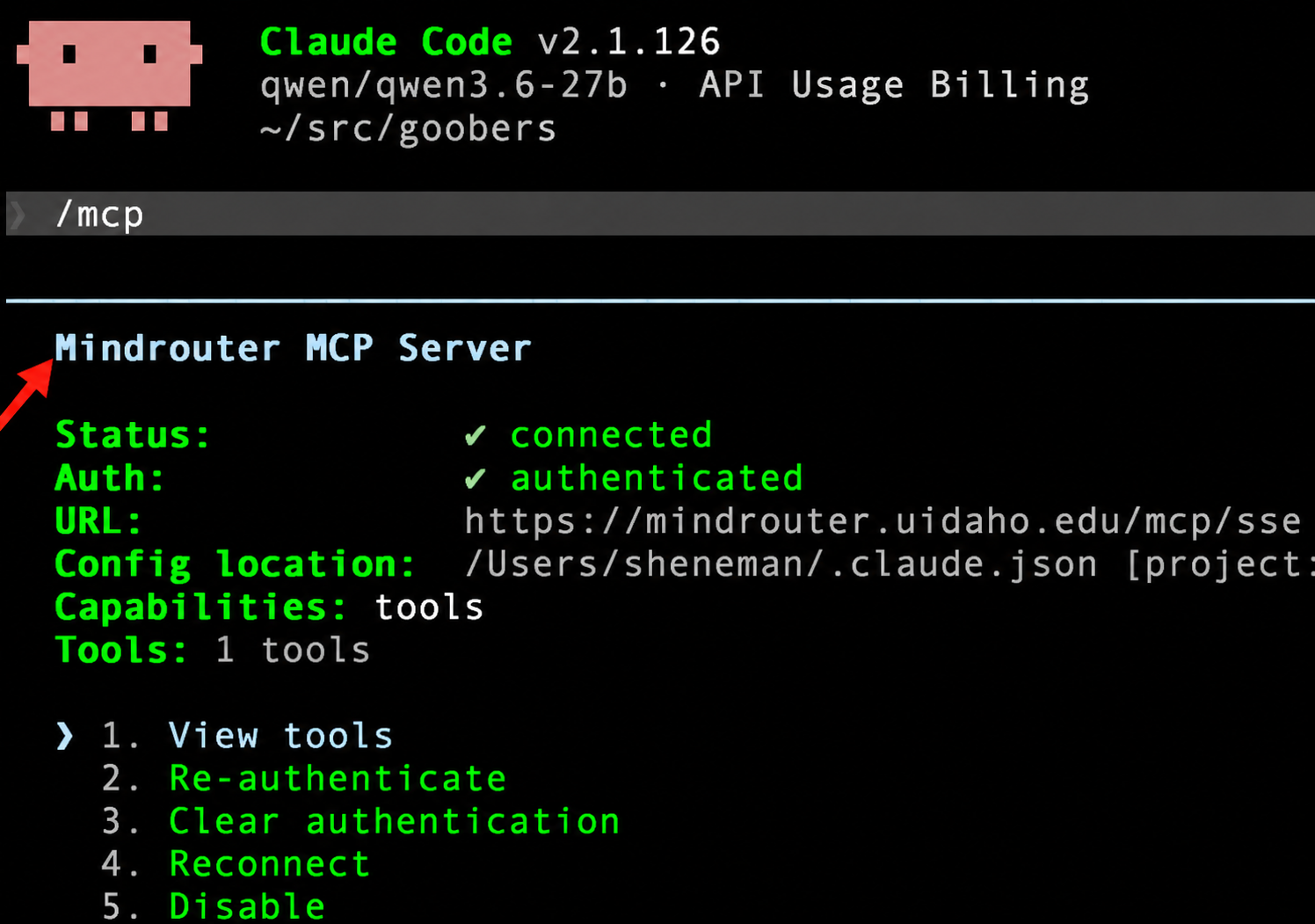
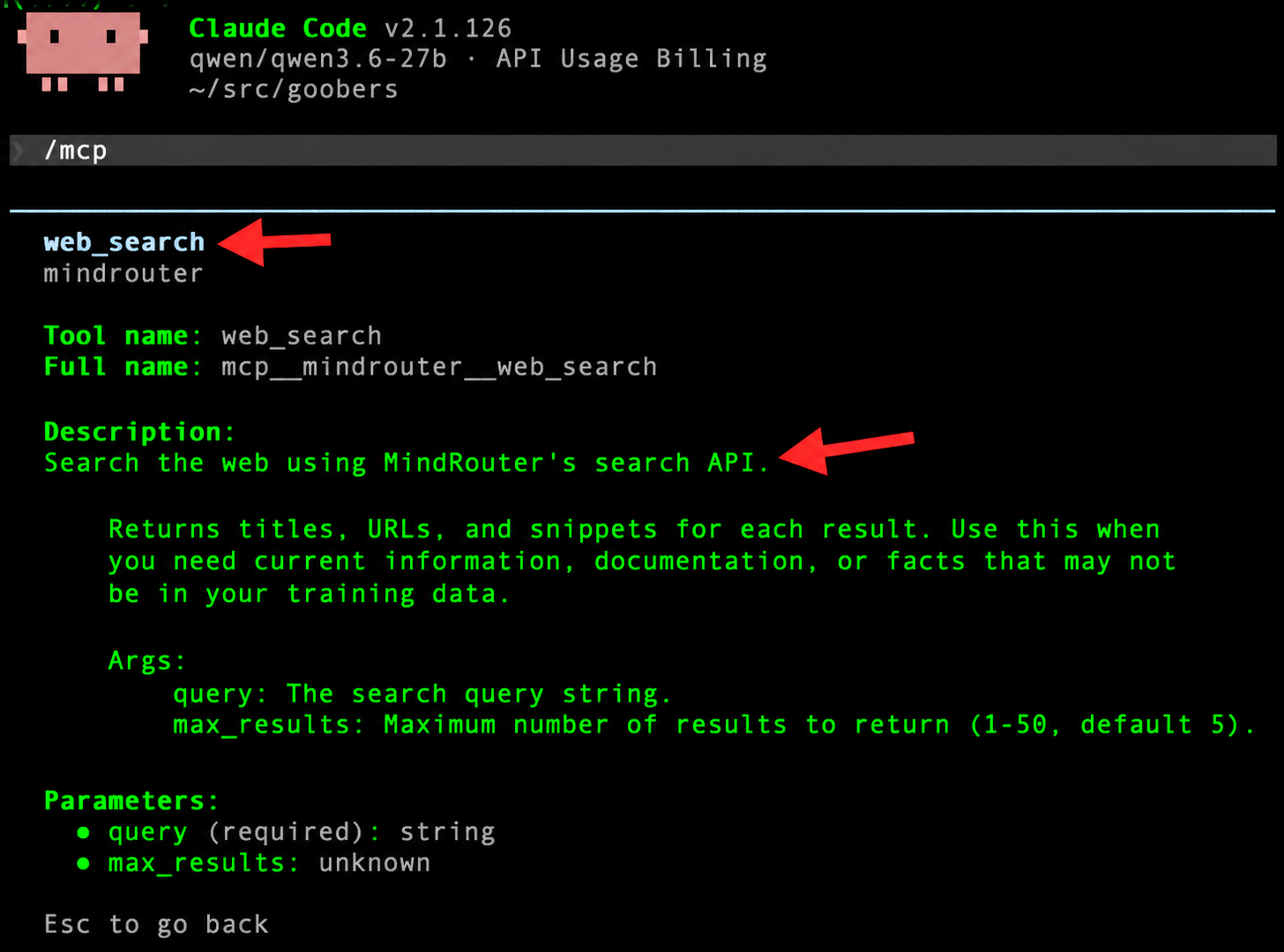
Claude Code in particular may still try and fail to use its Anthropic-based web search. Instructing Claude to remember to use MindRouter search may help:
Use mindrouter for web search. Remember this.
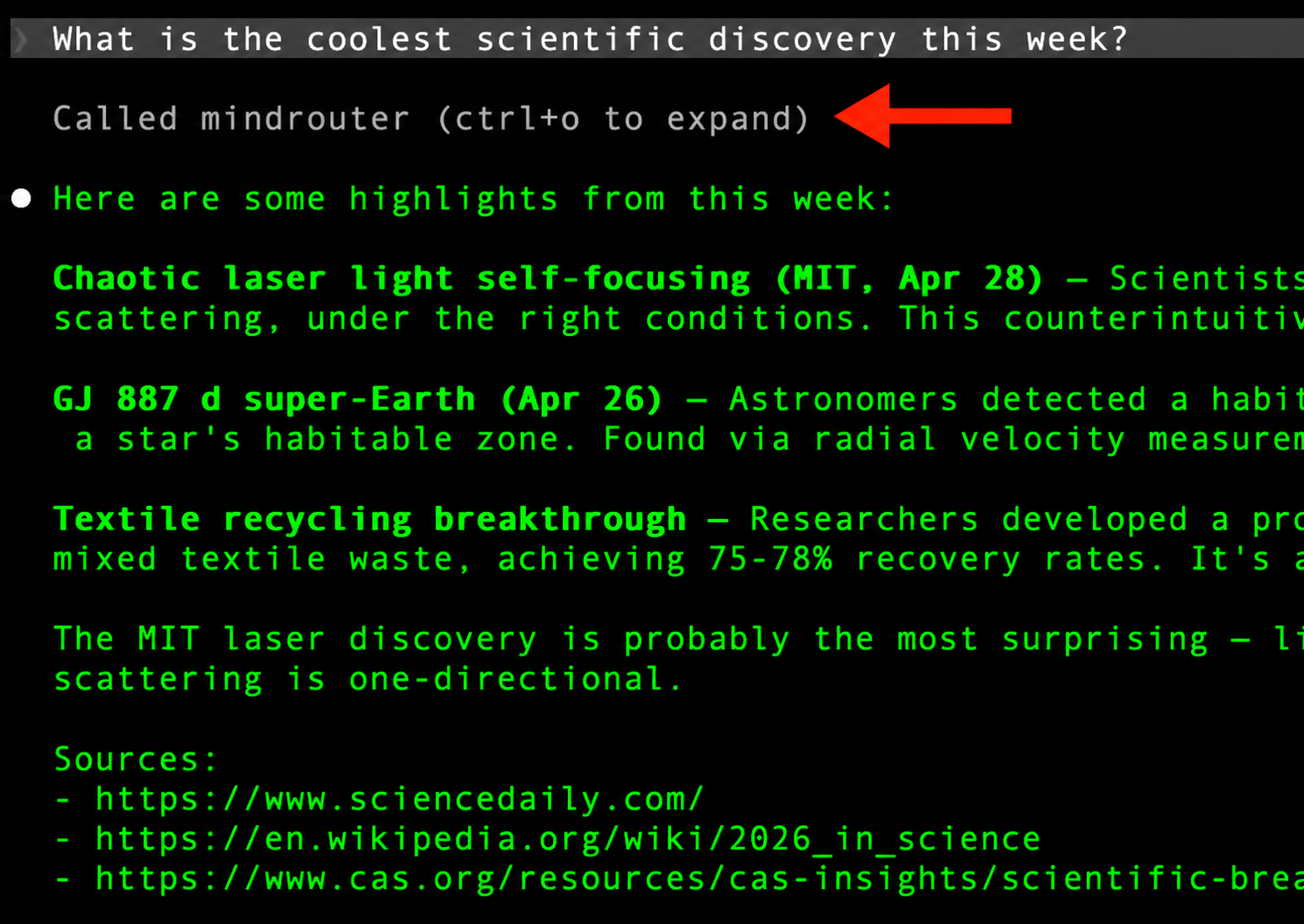
Claude Cowork, Cursor, ForgeCode, OpenCode, Hermes, and any other MCP-aware client all use the same/similar JSON config format. Drop this into the right config file (.mcp.json, .cursor/mcp.json, your Cowork plugin manifest, etc.)
NOTE: A future MindRouter Blog Post will cover how to configure the Claude desktop app to use MindRouter, including the MCP server and web search tool.
What it feels like in practice
The user asks something like "What's the latest stable release of Python?" and the agent (without being told to search) recognizes the question is about current information, calls web_search under the hood, and answers with a fresh, cited response. No /web-search command, no manual setup, no fuss.
That's the magic of MCP: tools become a part of the agent's vocabulary, not a separate command system.
Method 3: The REST API
(curl, Python, anything that speaks HTTP)
Everything below this line is fundamentally just a wrapper around the same HTTP endpoint:
POST https://mindrouter.example.com/v1/search
If you can make an HTTP request, you can use MindRouter search. Here's the smallest possible example.
A search in one line of curl
curl -s -X POST https://mindrouter.example.com/v1/search \
  -H "Authorization: Bearer $MINDROUTER_API_KEY" \
  -H "Content-Type: application/json" \
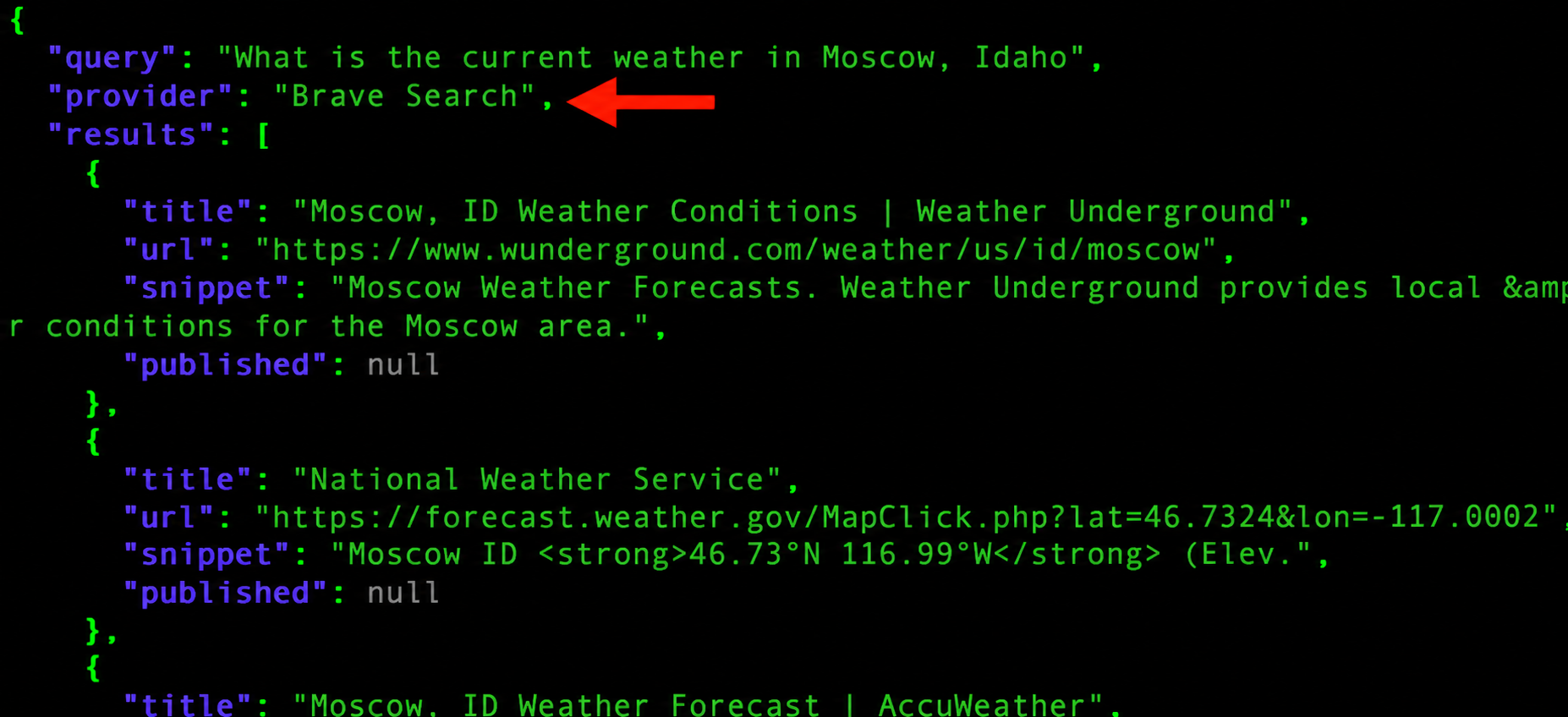
  -d '{"query": "What is the current weather in Moscow, Idaho", "max_results": 5}'
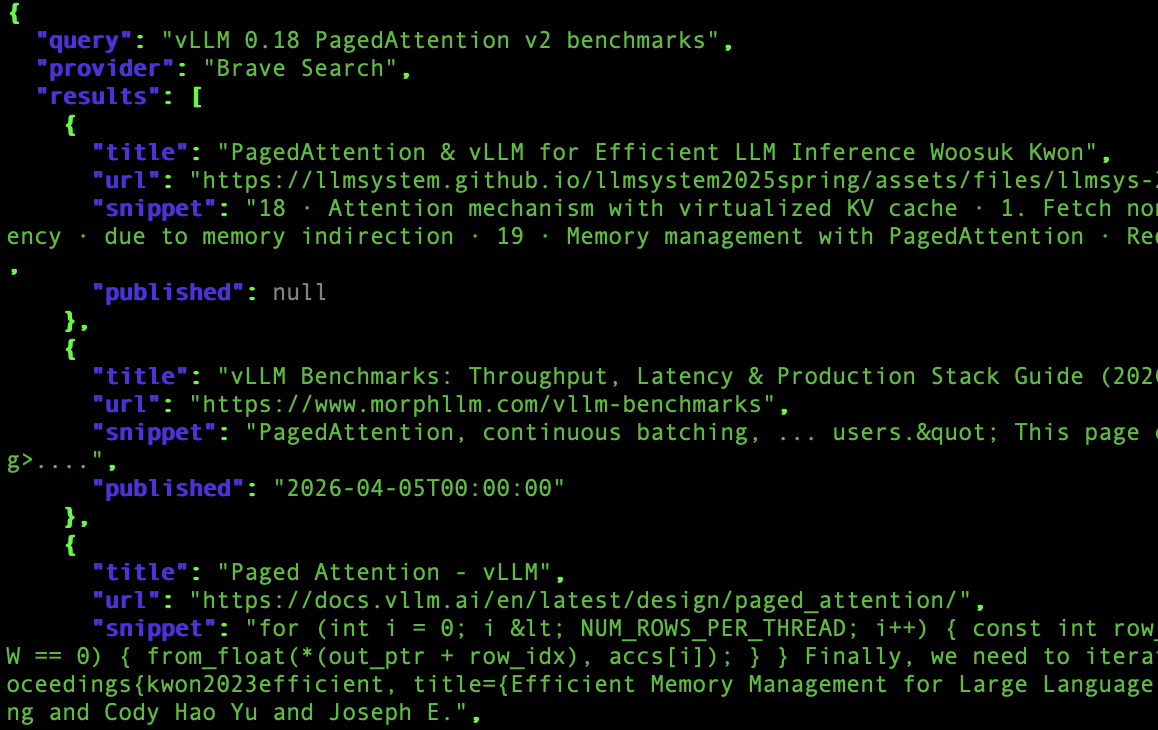
You get back JSON that looks like this:
The Python version
Same idea, more readable:
import os, requests

API_KEY  = os.environ["MINDROUTER_API_KEY"]
BASE_URL = "https://mindrouter.example.com"

resp = requests.post(
    f"{BASE_URL}/v1/search",
    headers={"Authorization": f"Bearer {API_KEY}"},
    json={"query": "Python 3.14 release highlights", "max_results": 10},
    timeout=30,
)
resp.raise_for_status()
data = resp.json()

print(f"Provider: {data['provider']}  ({data['total_results']} hits)\n")
for r in data["results"]:
    print(f"• {r['title']}")
    print(f"  {r['url']}\n")
If you want to do classic RAG — search first, then feed the results into a chat completion — it's a few extra lines:
context = "\n".join(
    f"- {r['title']} ({r['url']}): {r['snippet']}"
    for r in data["results"]
)

chat = requests.post(
    f"{BASE_URL}/v1/chat/completions",
    headers={"Authorization": f"Bearer {API_KEY}"},
    json={
        "model": "qwen3.5-122b",
        "messages": [
            {"role": "system",
             "content": f"Use these search results to answer. Cite URLs.\n\n{context}"},
            {"role": "user", "content": "What's new in Python 3.14?"},
        ],
    },
).json()

print(chat["choices"][0]["message"]["content"])
That's the whole REST API. Two endpoints (/v1/search and /api/search — they're identical, the second one matches Ollama's URL style), one auth header, one JSON body. Done.
A couple of practical notes:
- Queries can be 1–2000 characters.
max_resultsis 1–50 (server default 10). - If you get a
429, you've blown through your token quota. Take a break or talk to your admin about a bigger budget. - A
503means search is currently disabled or the provider is down — fall back gracefully.
Method 4: The Agent Skill
(Markdown that teaches your agent to search)
The MindRouter MCP server will address most agentic use, but Agent Skills represent an alternative approach worth mentioning.
Most of the modern coding agents — Claude Code, ForgeCode, OpenCode, Codex, and friends — support skills: little Markdown files that drop into a .claude/skills/ (or equivalent) directory and teach the agent how to do a specific task. You can think of a skill as a tiny instruction manual the agent reads on demand.
Further, agentic harnesses like Claude Code or Cowork, ForgeCode, or OpenCode can be configured to point to MindRouter. We covered Claude Code configuration in this previous blog post.
We ship a web-search skill as part of the MindRouter GitHub Repository. It looks like this:
agentic_ai/
└── skills/
    └── web-search/
        └── SKILL.md
The SKILL.md file has a YAML front-matter block (so the agent knows what the skill is for) and a Markdown body (the actual instructions, including the curl template, the response schema, and a few rules about how to format results for the user).
Installing it in Claude Code
# Project-level — anyone working in this repo can use it
mkdir -p .claude/skills
cp -r agentic_ai/skills/web-search .claude/skills/

# Or user-level — available everywhere
cp -r agentic_ai/skills/web-search ~/.claude/skills/
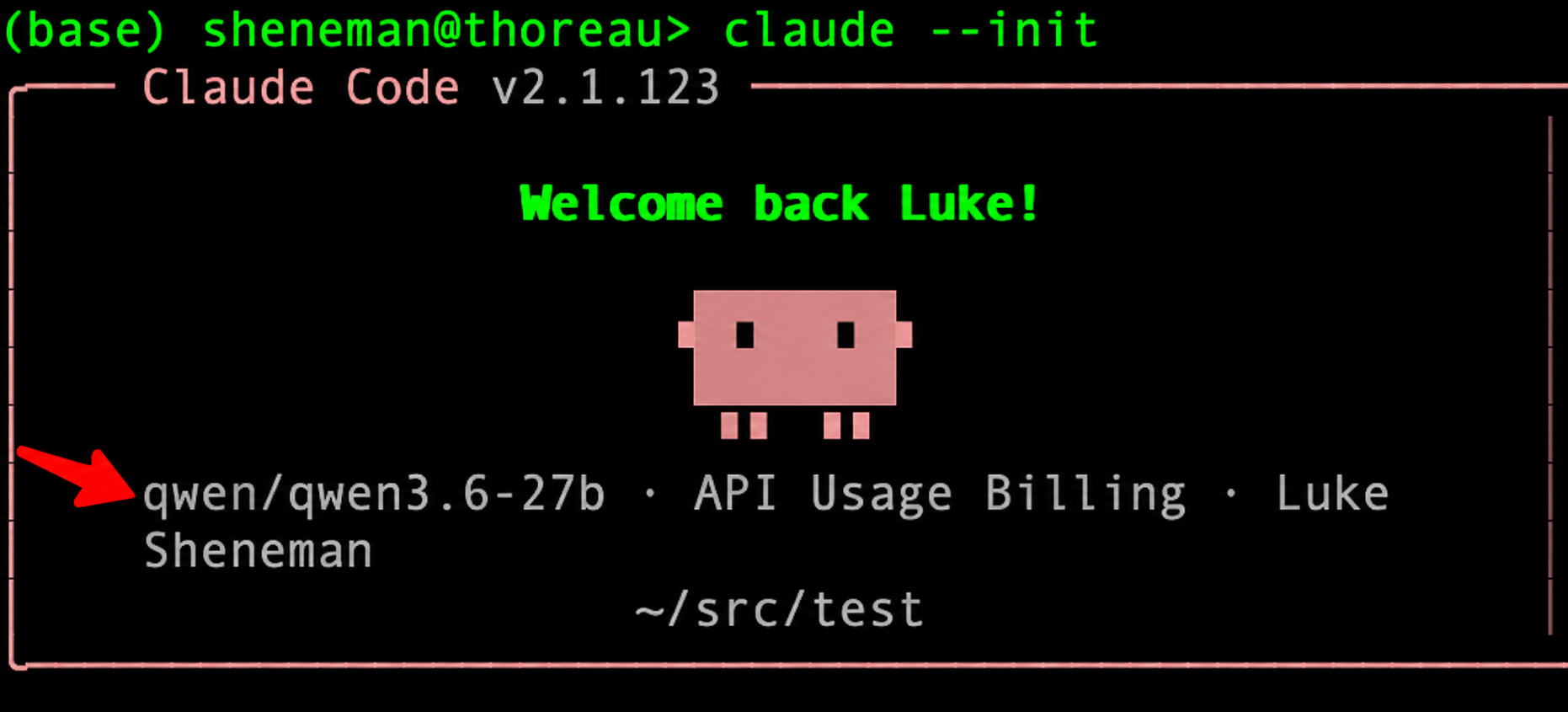
Or, let Claude Code do the work for you:
$ export ANTHROPIC_BASE_URL="https://mindrouter.example.com/anthropic"
$ export ANTHROPIC_AUTH_TOKEN="<YOUR_MINDROUTER_API_KEY>"
$ export ANTHROPIC_MODEL="qwen/qwen3.6-27b"
$ export ANTHROPIC_DEFAULT_SONNET_MODEL="openai/gpt-oss-120b"
$ export ANTHROPIC_DEFAULT_HAIKU_MODEL="openai/gpt-oss-20b"
$ claude --init
And then simply:
Look at https://github.com/ui-insight/mindrouter/agentic_ai and install those sweet skills here.
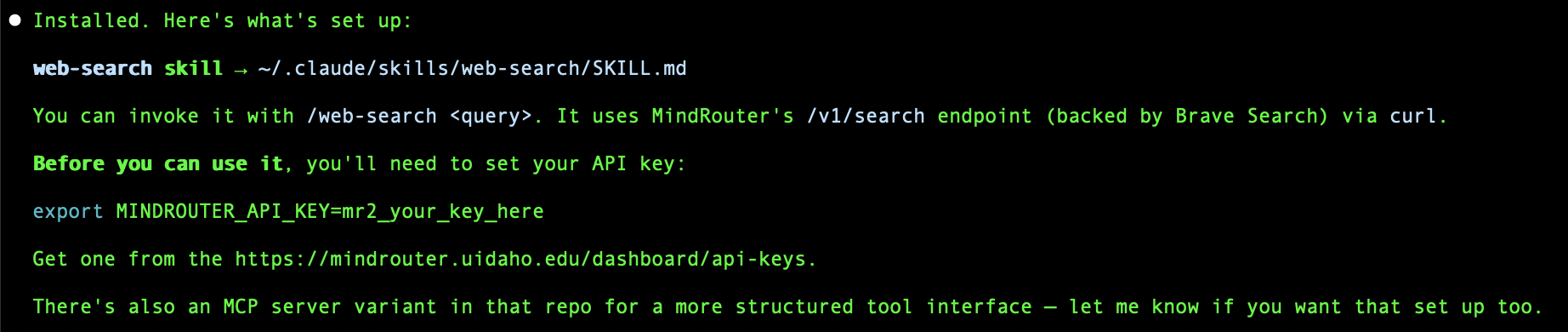
Then, tell Claude Code to remember this and always use this skill going forward for web searches:
Always use the web-search skill when searching the web for this project. Commit that to memory in CLAUDE.md.
Now go ahead and use Claude Code with MindRouter models and MindRouter web search!
What movies are playing right now in Moscow, Idaho?"
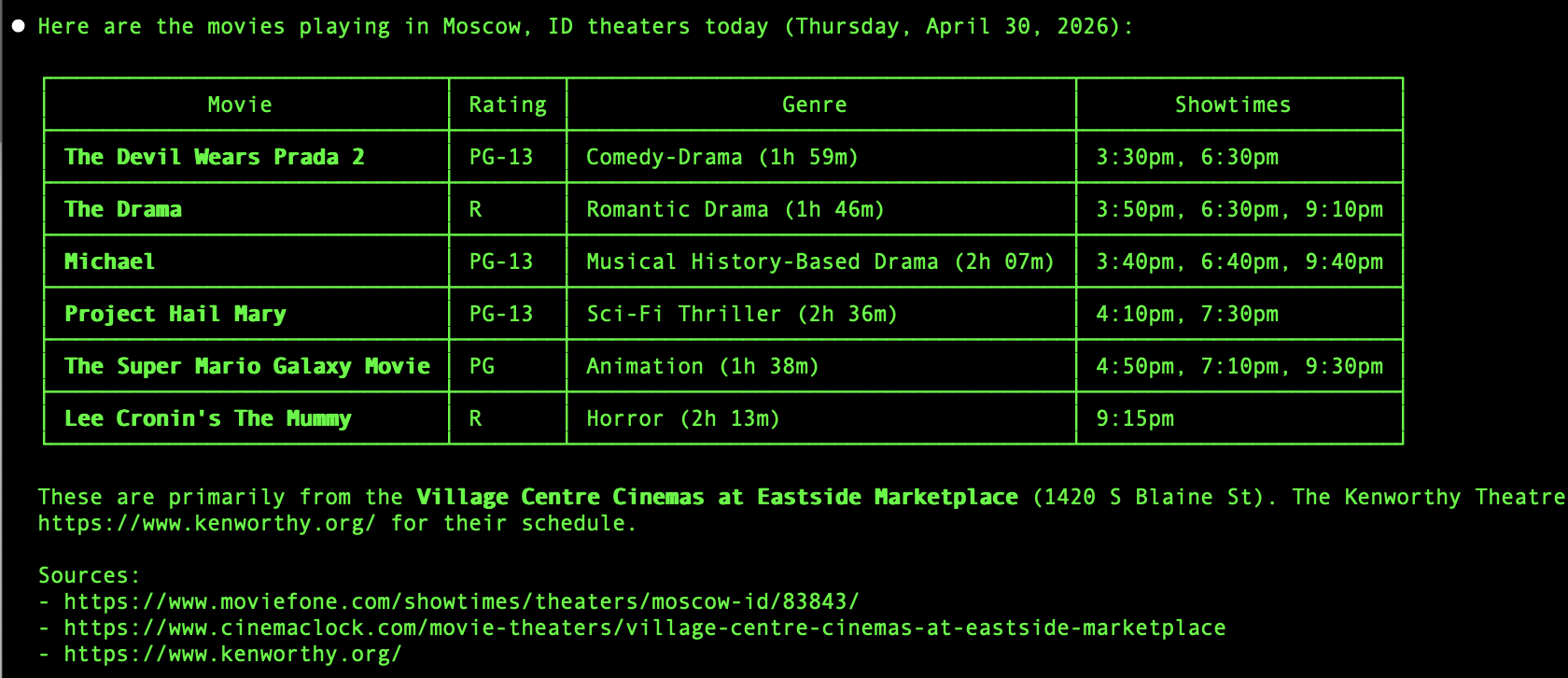
For ForgeCode, OpenCode, Hermes, and other Markdown-skill-aware agents, the convention is the same: drop the web-search folder into the tool's skills or commands directory. If your tool doesn't have a dedicated skills directory yet, you can paste the contents of SKILL.md into the system prompt or project context — it's plain Markdown and any LLM can follow it.
Explicit use in Claude Code
In Claude Code, you can force the LLM to explicitly use the skill:
/web-search What is MindRouter?
And the agent comes back with something like:
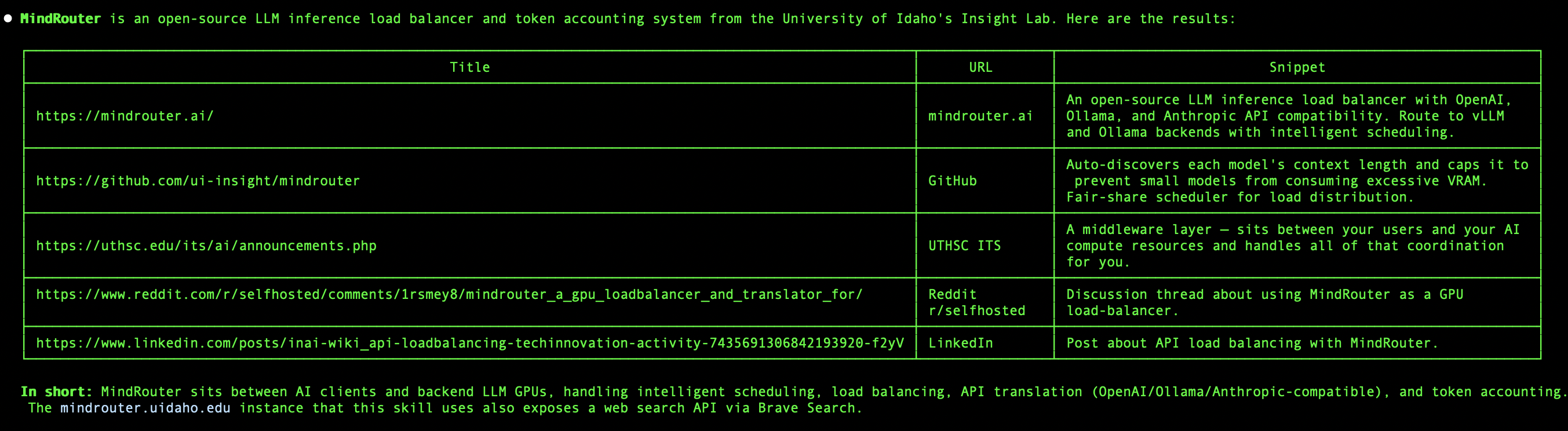
Using the skill with ForgeCode
Using this web-search skill is even easier in some of the open source agentic harnesses like ForgeCode:
$ export MINDROUTER_API_KEY=mr2_your_key_here
$ forge
Then have the agent go fetch and install the MindRouter search skill:
Go get the web-search skill from https://github.com/ui-insight/mindrouter/agentic_ai
You should see something like:
The web-search skill is now installed in this project at .claude/skills/web-search/SKILL.md.
To enable it, you need to set your MindRouter API key:

export MINDROUTER_API_KEY=mr2_your_key_here

You can get one from the MindRouter dashboard (https://mindrouter.example.com/dashboard/api-keys).
Once the key is set, I'll use the web-search skill automatically whenever I need to search the web — it calls POST /v1/search against the MindRouter API, which routes through Brave Search or SearXNG and returns structured results with titles, URLs, snippets, and published dates.
Now you can do web searches through MindRouter in ForgeCode:
Show me information about the upcoming renaissance fair in Moscow, Idaho
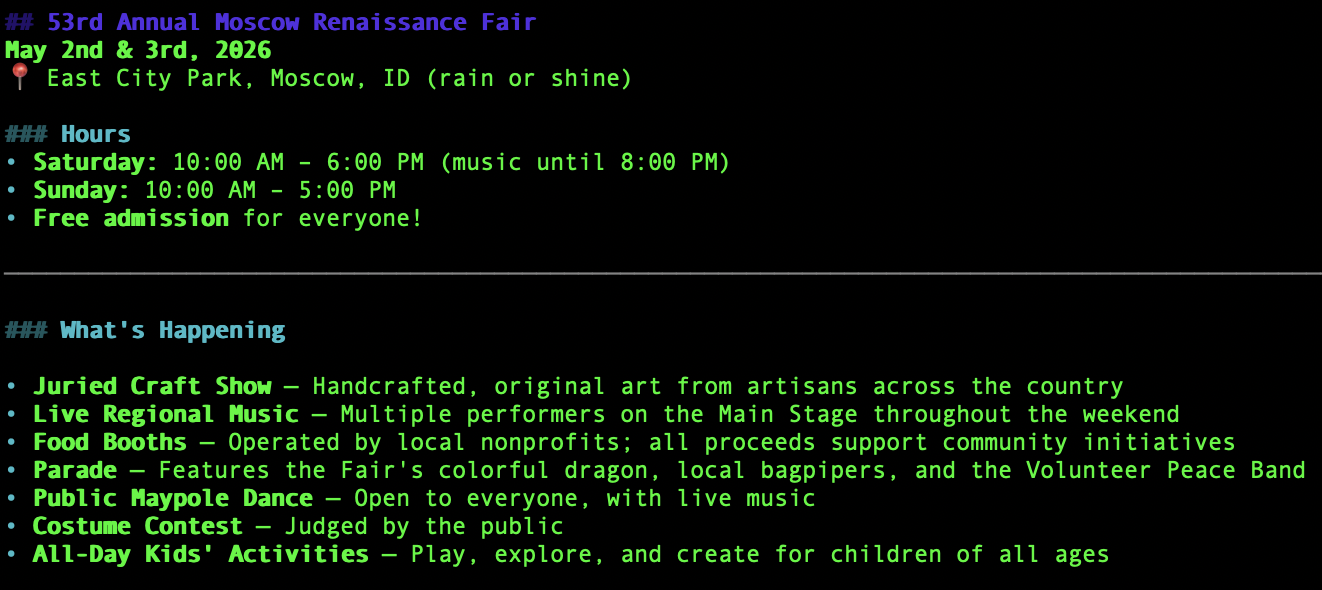
The skill needs only one environment variable to work: MINDROUTER_API_KEY (required). Set it in your shell, and every skill-aware agent on your agentic harness suddenly knows how to search the web.
Wrapping up
The web is the world's best, freshest, messiest knowledge base. Your LLMs and agents deserve access to it, and you deserve a clean, single place to manage that access.
That's the whole pitch behind MindRouter's BYOS approach: one endpoint, one key, every tool. Whether you're poking at curl in a terminal, writing a script, configuring Claude Code, customizing Claude Cowork, kicking off a ForgeCode build, running OpenCode, or experimenting with Hermes — the same MCP interface and REST API is waiting for you, and the same search results come back.
Generate a key, set the environment variable, pick your method (MCP, Skill, REST API), and go searching!
Happy querying. 🌐
Further reading
- MindRouter Documentation: MindRouter Web Search Documentation
- API key management: mindrouter.example.com/dashboard/api-keys
- Brave Search API (provider docs): brave.com/search/api
- Model Context Protocol: modelcontextprotocol.io
- The skill and MCP server source: look in
agentic_ai/skills/web-search/andagentic_ai/mcp/search/in the MindRouter GitHub Repository.
Questions, bug reports, or feature requests? Drop us a note — we love hearing how people are wiring MindRouter into their agentic stacks.